About Breast Tomosynthesis Images
 Watch the video
You can view and manipulate the following tomosynthesis images with InteleViewer:
- two-dimensional slices in a dataset
- generated 2D views, also known as synthesized two-dimensional views
You can view these images in the same ways that you view mammography images.
To use this feature, ask your PACS administrator to enable the Mammography Features privilege in your user account.
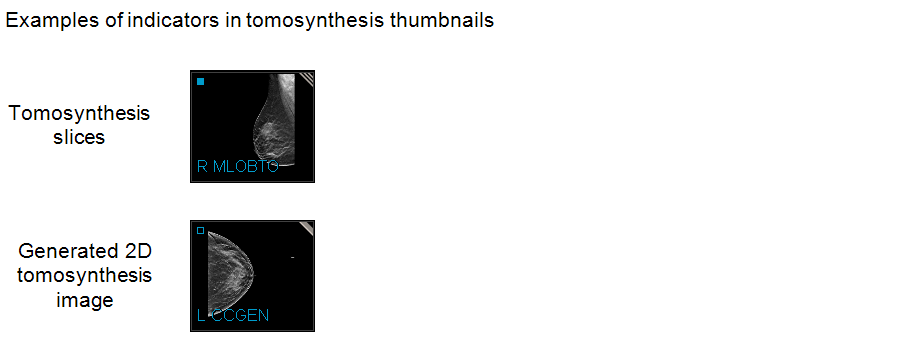
A tomosynthesis dataset is distinguished from mammography images by including "BTO" (breast tomosynthesis object) in its thumbnail and projection overlay in a viewport. A generated two-dimensional tomosynthesis image includes "GEN." Also, a breast tomosynthesis dataset includes diagonal lines and a generated two-dimensional image has a diagonal gray bar in the top-right corner of a thumbnail.
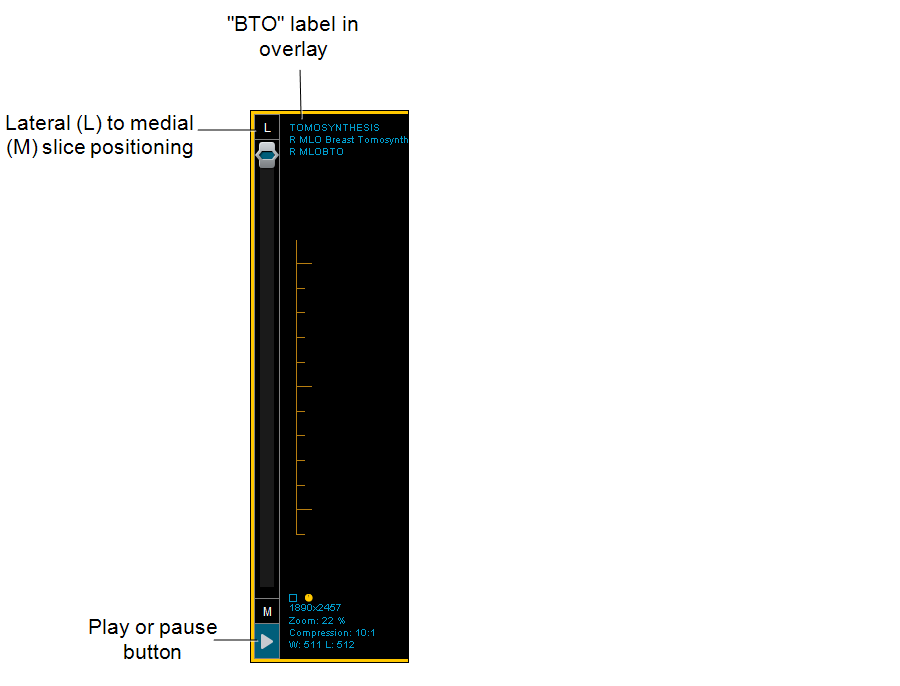
You can use the scrollbar beside a tomosynthesis dataset to scroll through image slices. You can specify your preferred scrolling order for CC and MLO positioning in the User Preferences.
Depending on the angle of the breast image in the viewport (horizontal or vertical, or rotated 90 degrees), this scrollbar may move from one margin of the viewport to the other so that it does not interfere with optimal viewing.
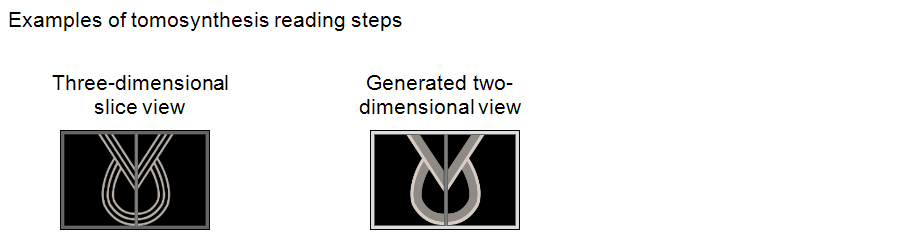
In the Protocol Preview pane, a reading step for a tomosynthesis slice is identified by a multi-lined graphic. A reading step for a generated two-dimensional view is identified with a thick, gray border.
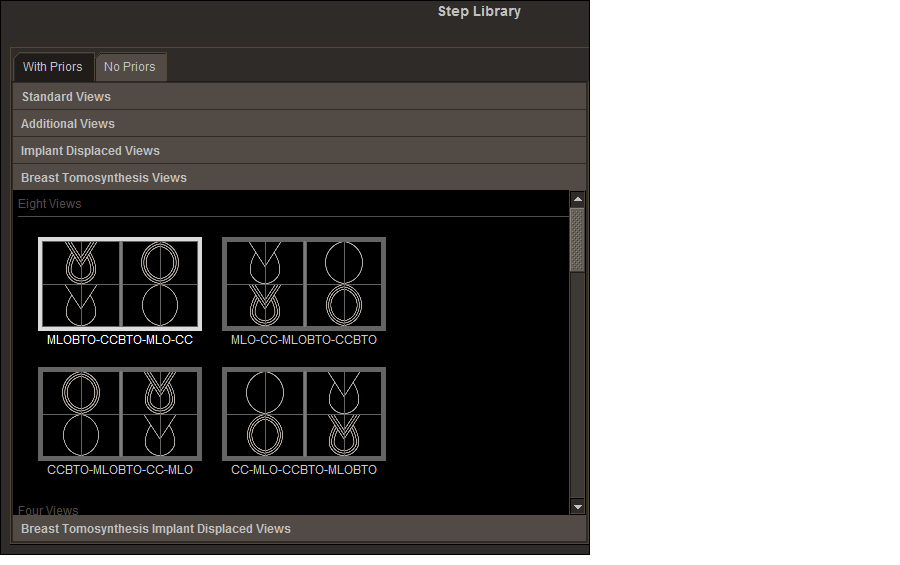
The Step Library in the Sequence Protocol Manager includes reading steps for three-dimensional slices and for generated two-dimensional views.