Storing Images on your Workstation
When you open an order to dictate it, the corresponding images are streamed to your workstation from the IntelePACS. The Image Count column displays the progression of images being streamed or retrieved to your workstation, if your IntelePACS is configured to query local image counts.
If your IntelePACS is not configured to query local image counts, the total number of images potentially available to you are displayed in this column.
The prefetching functionality allows the images to be retrieved to your workstation when you reserve the corresponding order. However, if the order was reserved by a worklist manager, the images will not be retrieved to your workstation.
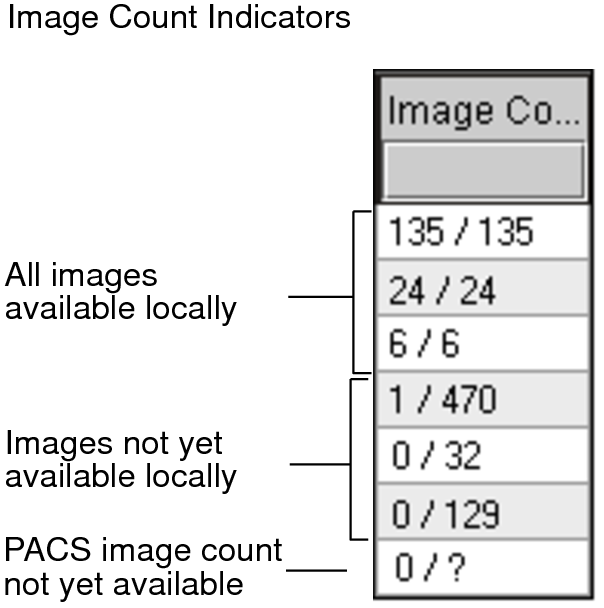
For each order, the total number of images available on the IntelePACS appears in the Image Count column in the worklist, along with the number that are available on the local disk.
The following format is used:
<number on local disk> / <number on INTELEPACS>
A question mark (?) indicates that the image information is currently unknown. As the image count becomes available, the corresponding number appears. You can also choose to update the image count information manually.
If you are working in a film-based environment, an image count of 0/0 typically appears.
If you choose to open an order whose images are not yet available on the local disk, the images will begin streaming in from the IntelePACS.
See Also