Displaying Genius AI CAD on 2D Images
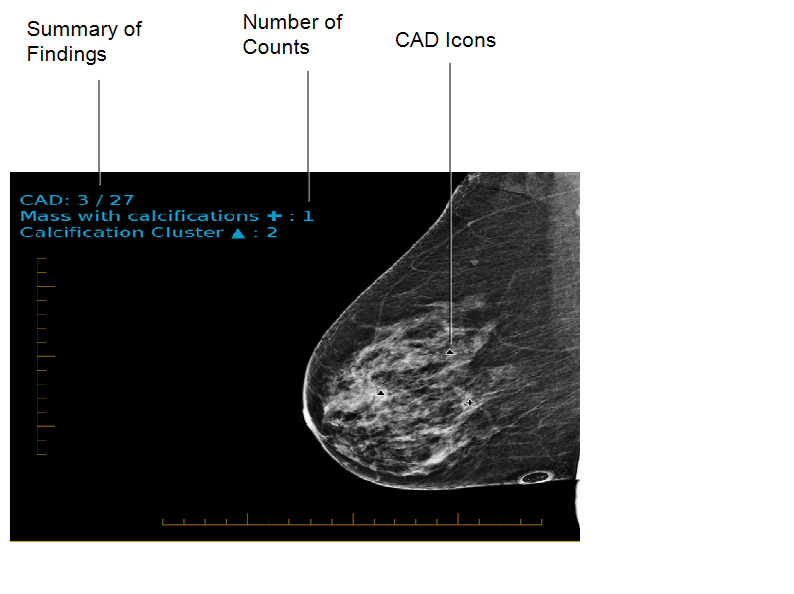
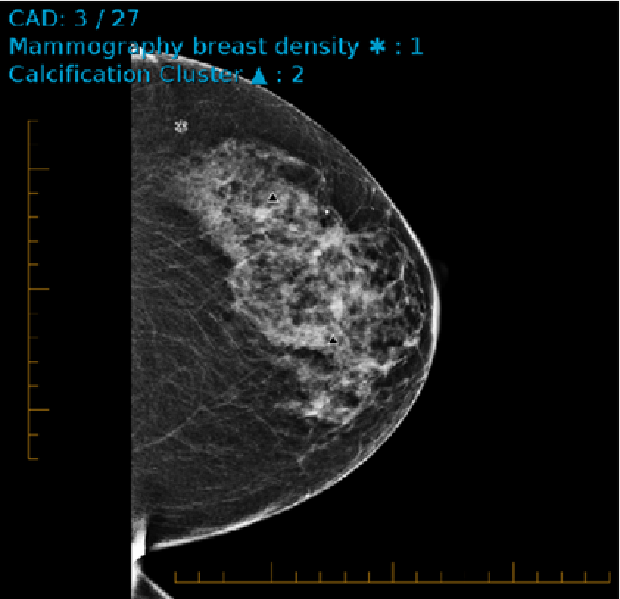
In the following example, which is from the Genius AI CAD, three out of the twenty-seven CAD marks for the exam appear on this image. Depending on the count and type of CAD markings on the image, the number is displayed next to it’s associated icon in the image overlays.
The following CAD markings are visible on the image:
- The compass (+) icon indicates the Mass with calcifications.
- The triangle (
 ) icon indicates Calcification Cluster.
 - The asterisk (*) icon indicates the Mammography breast density.
CAD marks appear automatically on images if indicated in the reading step when abnormalities are detected. You can override the CAD instructions in the reading step and show or hide CAD marks manually.