PenRad Preferences
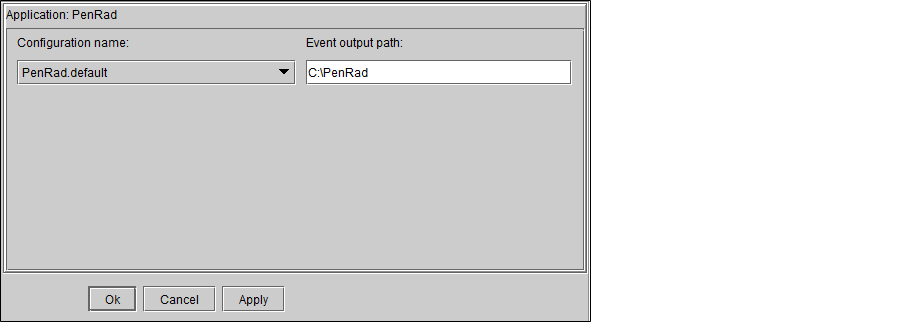
Set the PenRad MIS (Mammography Information System) preferences to create a new output path to define the folder where you want InteleViewer to store the event XML files for each PenRad organization.
To view the PenRad MIS preferences in the InteleViewer User Preferences dialog, the PenRad feature must be enabled in your PACS. To use this feature, ask your PACS administrator to enable the Third-Party Viewer and PenRad privileges in your user account.
Configuration NameThe name of the PenRad configuration defined for an organization.
Event Output PathThe path defining where InteleViewer will store the event XML files for the PenRad organization defined in the Configuration Name list.
To configure the PenRad preferences:
- From the Configuration Name list, select the PenRad organization.
-
In the Event Output Path text box, type the path where you want the event XML files dropped for that organization.
Make sure that you have created the folders in the path that you defined in the Event Output Path text box.
- Click Apply.
-
If you are finished with the configuration window, click OK.
The PenRad preferences are workstation-specific, and therefore will not roam.