Resetting Profiles
You can reset a profile back to the original values of the profile template it is based on.
To reset a profile:
-
From the main menu, choose Utilities | Manage Profiles.
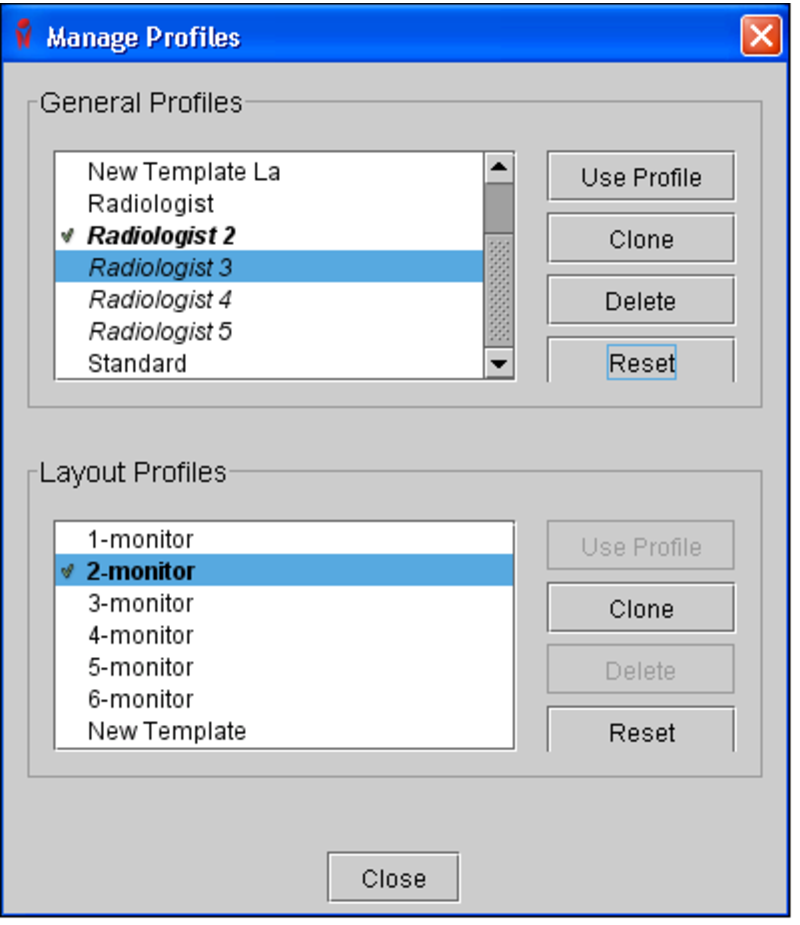
The Manage Profiles dialog appears.
-
Do one of the following:
- To choose a general profile, select it from the General Profiles list, and then click Reset.
- To choose a layout profile, select it from the Layout Profiles list, and then click Reset.
You will receive a message asking whether you want to reset the profile to the values of the profile template it is based on.
-
Click Reset Profile to revert the profile.
The profile is reverted to the original values of the profile template it is based on.